
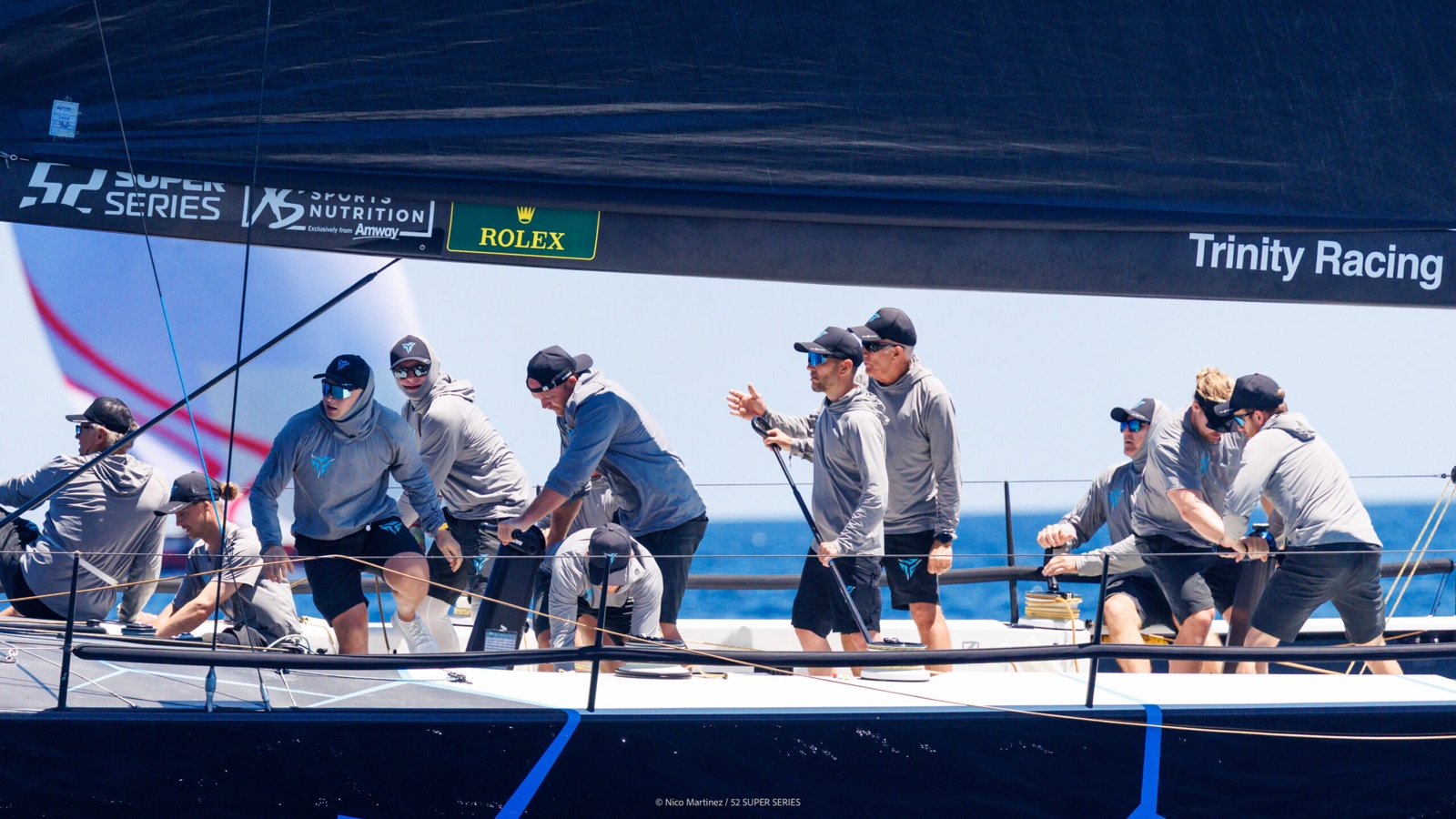
The debrief table
Debrief Player
Every race on one clock — the instruments, the events, your own video and the fleet.
Who it is for
The whole crew, at the debrief table. The job is to see the race again — with the video and the fleet on the same clock as the instruments — and to send somebody the exact second rather than describing where to scrub to.
The timeline, the transport and the link you send
Pick the boat, the regatta and the race, and the whole thing scrubs on a single clock: the track and the start line on the map, charts for any channel the boat logged, tuning tiles carrying percent-of-target as you go, and the race’s own events — guns, line pings, sail changes, a man overboard, the finish — marked along the way. An overview brush sits under the scrubber for the whole race. Any moment deep-links, so you can send a crew member the exact second.
You never type a race in
Regattas, days and races are derived from the guns and warnings inside the imported data itself, and recomputed every time another import lands — so a day that arrives as a telemetry log and a separate events file is still one regatta, not two. When Race Control was aboard, the race also ends where the crew pressed FINISH rather than where the platform estimated it, and an estimate can leave the motor back to the dock inside the race. A window the derivation never produced — the tuning run before the first warning, an afternoon of two-boat testing — is added by hand on the regatta page and reads in the player exactly as a derived race does.
The track, the start line and the course
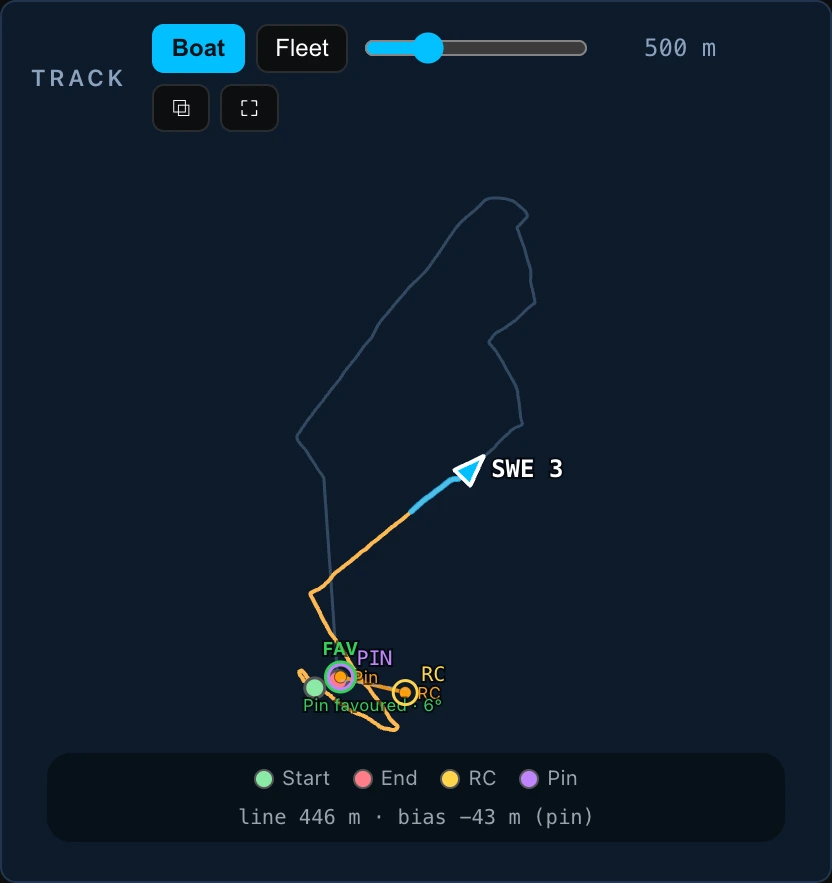
The map draws the boat’s own track for the whole race. Where both ends of the line were pinged and a wind direction is known for that moment, it also draws the line between them and measures it: the length in metres, the bias in metres, and which end that bias favours. The course itself is whatever Race Control last pushed — the tablet sends a whole-course snapshot every time the crew changes it, so the marks on the map are the ones the boat was sailing to and not the ones written down before the start.
Your video never leaves your machine
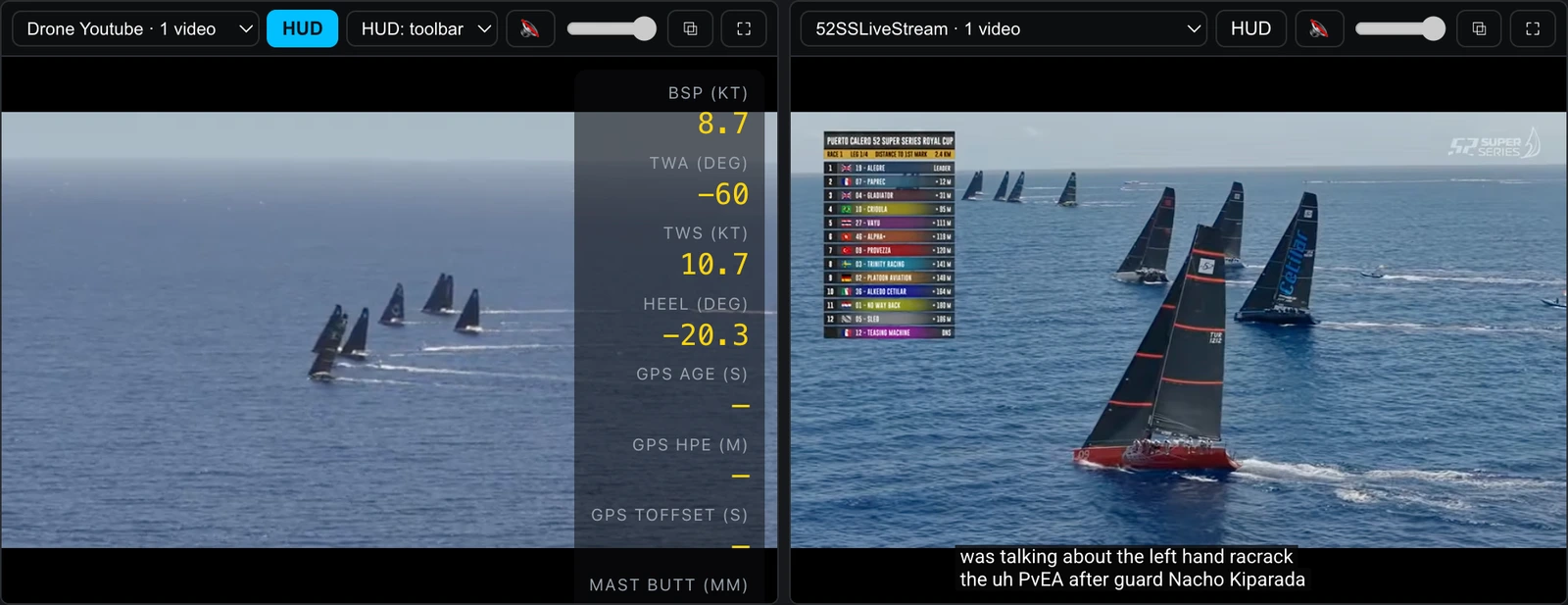
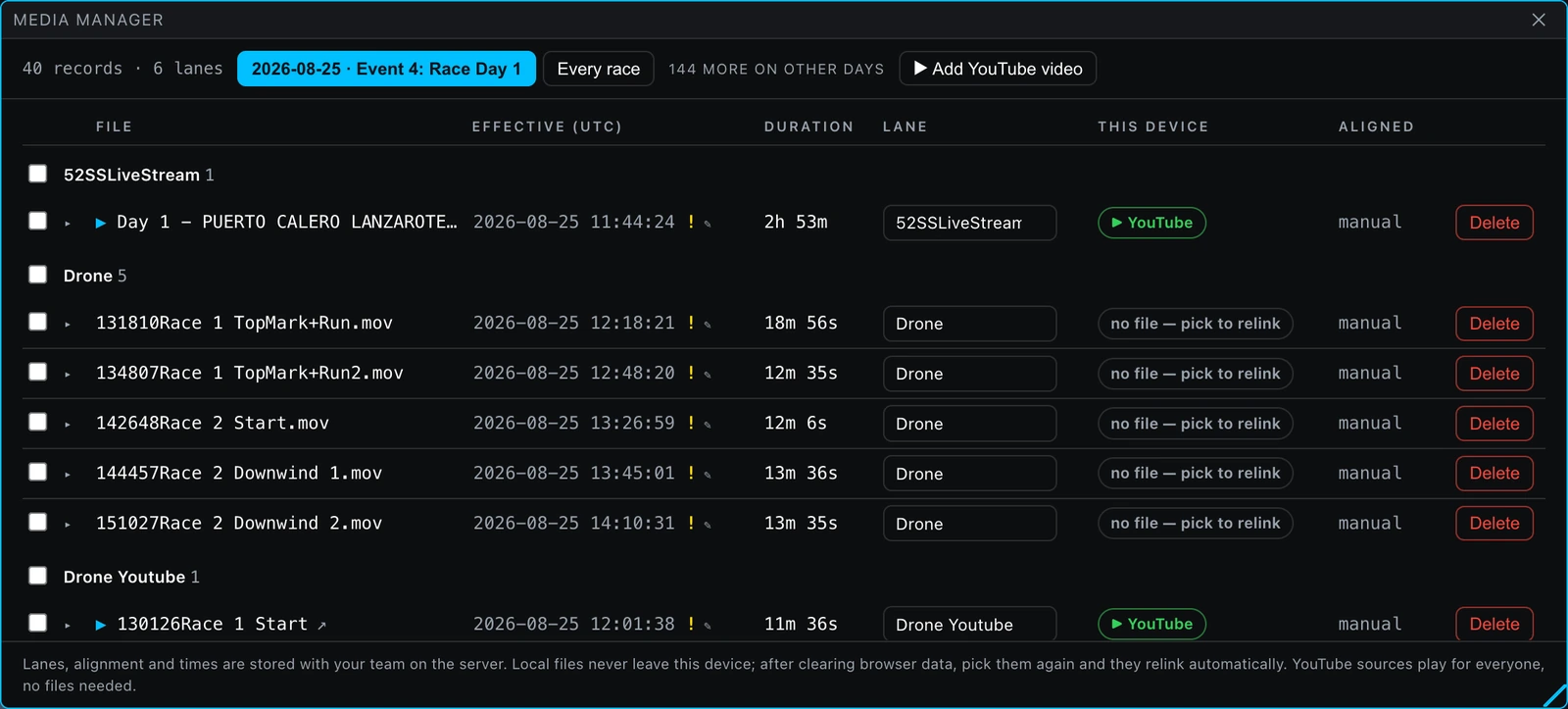
Video stays on your machine. It is aligned and played locally, never uploaded. Point the player at the files your cameras wrote and they play in a mosaic beside the data, in one of five grid layouts. Any cell can be pulled out into a floating window or thrown full screen without the video stopping — the pane is never rebuilt, only re-styled.
Align a clip by hand against the timeline, or by the clap of the gun. Nordic Stars keeps only lightweight metadata — a fingerprint of the file and its alignment offset — so the same clips re-attach next session instead of being lined up from scratch, and the footage itself stays on the laptop it is on. There is no upload to opt out of.
Photos and audio use the same clock. A photo lands on the timeline at its EXIF capture time and opens in place, with the arrow keys moving through the shoot in time order. Audio arrives as mixer rows under the mosaic, following the transport exactly as a video pane does.
The readout on the video, and the presets that feed it
The cursor’s readout is drawn on the video cells themselves, where you are already looking, from an overlay preset of 1 to 12 ordered channels — phase-tagged pre-start, race or any, chosen in the player toolbar and overridable per pane. Presets are personal to the signed-in user, follow them across organisations and are managed on the Overlays page. A photograph downloads with that readout drawn into the file, at the photograph’s own aligned instant.
The pre-start, replayed over the video
While a start sequence was armed, Race Control recorded its own TIME TO LINE card once a second — time to gun, the burn, and the three time-to-line tiers. The player draws those frames back over the footage in the tablet’s night palette, at the instant the video is showing, and they fade out when the recording runs out. Nothing is recomputed and nothing is filled in: a reading the tablet drew as an em dash is drawn as an em dash here.
The fleet
Your own telemetry says how fast you went. It cannot say whether the boat that beat you went right. Fleet tracking data lays the event’s official tracking over your own race — GEORACING is supported today. Bring your own provider credentials, browse the event calendar, pick the races to capture, and set your bow number.
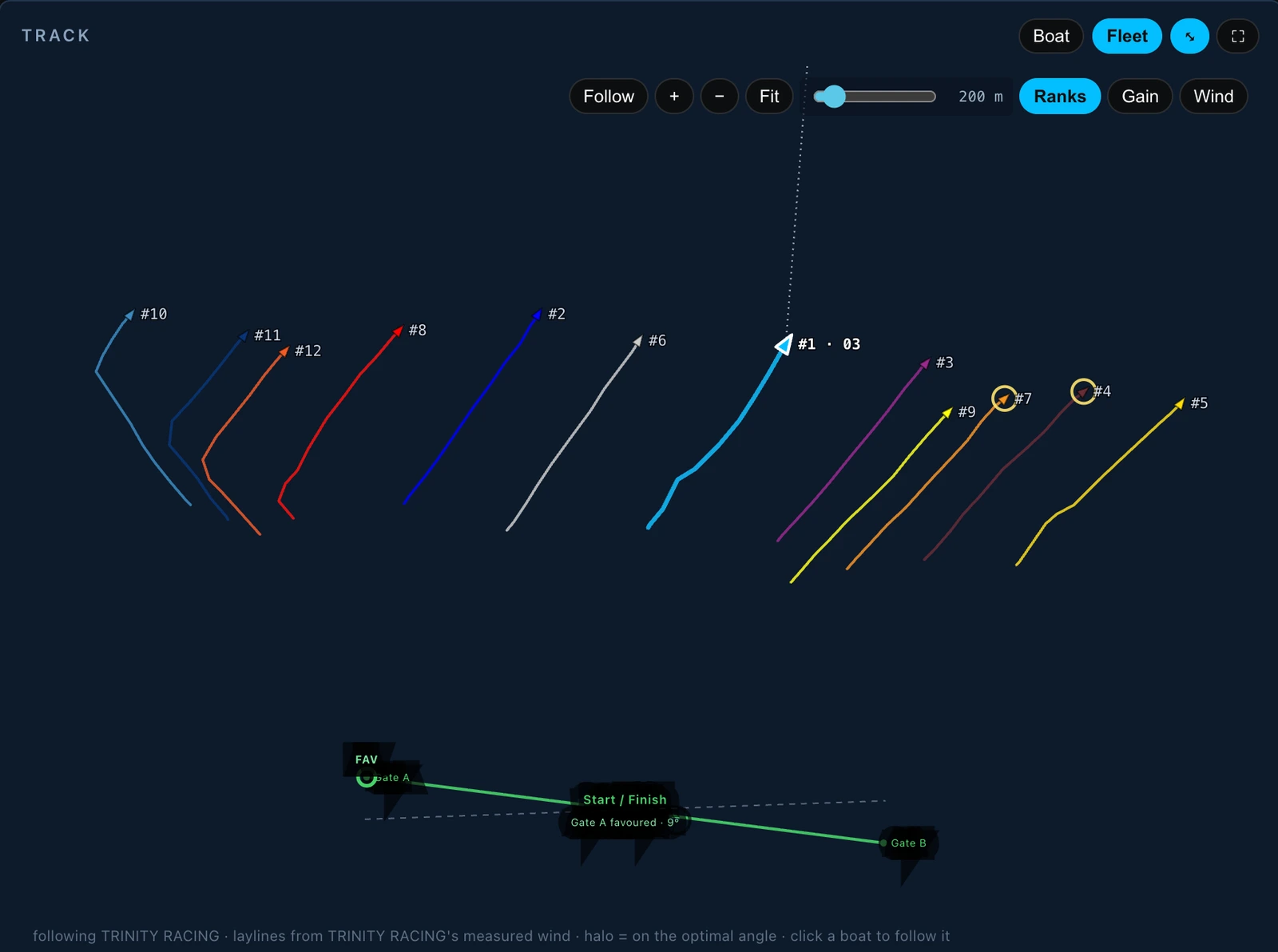
The fleet then appears in the debrief: every boat on the map with ranks and legs, laylines to the active mark, a wind overlay built from the fleet’s own speeds and shifts, the nearest boats around you with gain and loss, and any boat you pin carried beside you as a running delta. A rival duel splits the regatta race by race and leg by leg, and every swing deep-links to the stretch of race it happened in, so the crew can watch that stretch rather than read a number for it.
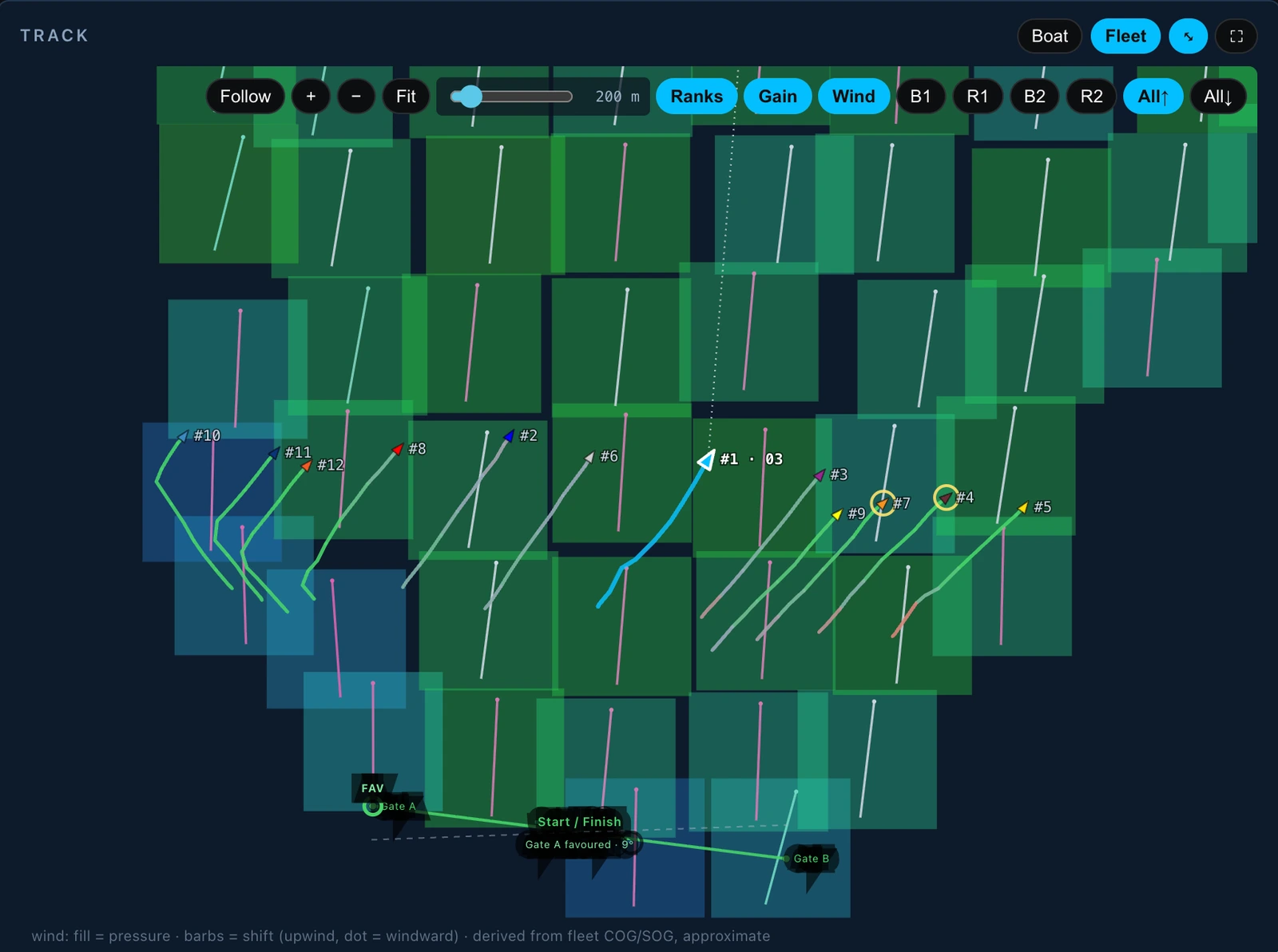
The wind overlay is derived from the fleet’s own course and speed over the ground rather than from an instrument: a grid of cells over the course, each shaded for the pressure in it — the speed the boats made inside that cell — and each crossed by a barb for the shift against the fleet’s own mean wind, with a dot at the barb’s windward end. It is an approximation and the legend under the map says so, and it is drawn for one leg at a time or for every beat or every run at once.
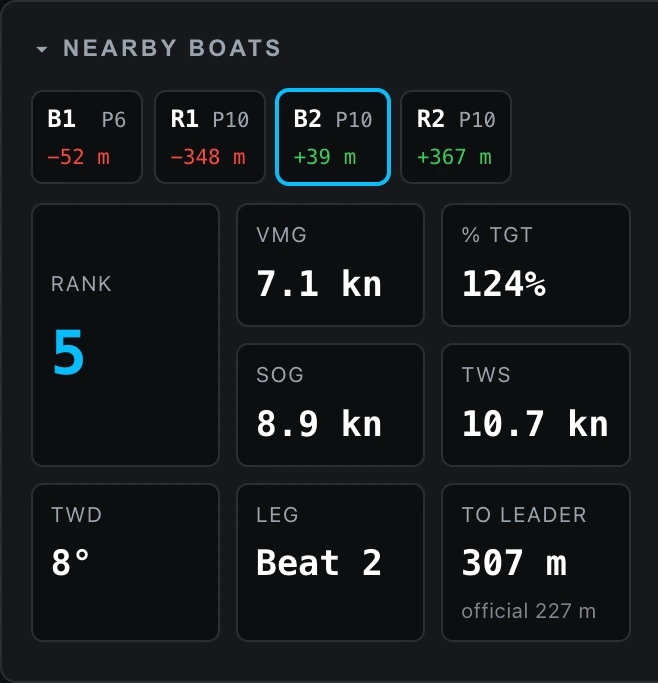
The nearby-boats card states that same instant in numbers. Its tiles carry your own: your rank in the fleet, your VMG made good on the leg you are sailing and that VMG as a percent of target, your speed over the ground, the wind your instruments measured, and the distance to the leader — computed from course made good, with the tracking feed’s own metres-behind-leader printed under it as a cross-check.
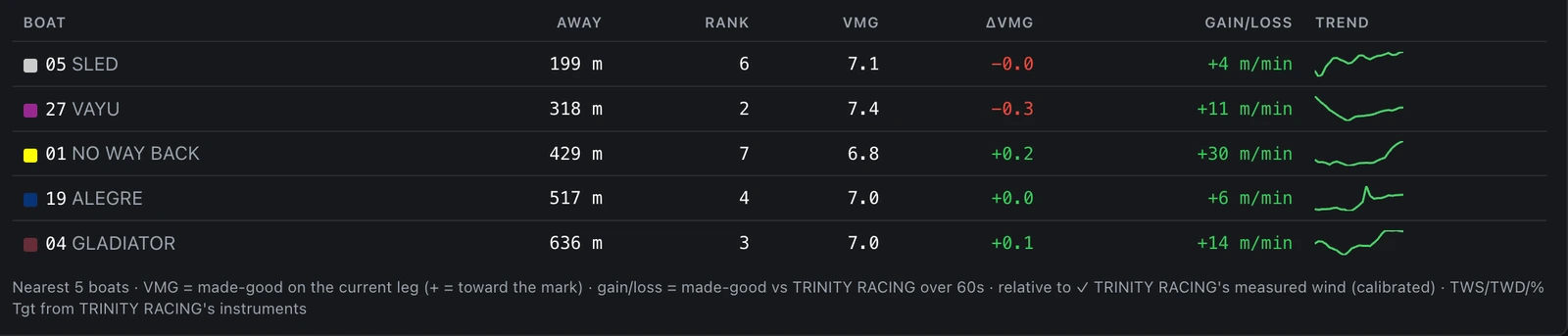
Beside them is a row for each of the five boats nearest you: how far off it is, its rank, its VMG and the difference from yours, and the gain or loss against it in metres per minute over the last minute, with a three-minute trend drawn beside that. Green is a gain and red a loss.
Screen capture to come
The Duel panel’s per-race leg ladder beside its biggest-split-swings table.
How it works
- Pick the boat, the regatta and the race.
- Scrub, or press play and follow the events along the timeline.
- Attach your own clips and align them by hand or by the gun.
- Open the Explorer for a channel — the window and its two tabs are described on Data Analytics.
- Send the link to the exact second.
What it does not do
Video is never uploaded, so it is never shared by a link: a teammate needs their own copy of the file. Fleet tracking is an add-on, enabled per organisation, and it needs your own tracking-provider credentials. The trackers measure position, speed and course and no angle, so a rival carries no heel and no trim. And there are no automatic tack or gybe markers on the boat track — the map draws the track and the course, and nothing on it detects a manoeuvre.
Common questions
Is my onboard video uploaded?
No. Video is aligned and played locally and never uploaded. Only a fingerprint of the file and its alignment offset are stored, so the same clips re-attach next session. There is no upload to opt out of.
How is video aligned with the instrument data?
By hand against the timeline, or by the clap of the gun. Photos land at their EXIF capture time and audio arrives as mixer rows following the transport, so every camera and every microphone scrubs on one clock.
Can I share a specific moment with the crew?
Yes. Any moment of a race deep-links, so a crew member opens the exact second rather than scrubbing for it. The link carries the moment and not the footage, so a teammate needs their own copy of the video file.
Does the map mark tacks and gybes?
No. The map draws the track, the start line and the course the tablet pushed, and nothing on it detects a manoeuvre.
Where to read more
- The debrief player — Opening a race and reading it: the timeline and its event marks, transport and keyboard, the Explorer, the tuning guide, the HUD and deep links.
- Local video and media — Putting your onboard video, photos and audio beside the telemetry — files that never leave your machine, aligned by hand, by the clap of the gun, or by holding a clock up to the lens.
- Getting started — Account to first debrief: the organisation and its 30-day trial, your first boat, one import, the player — and getting the crew in on the right role.
- How a race derives itself — Turning a day of guns, warnings, recalls and one finish press into races, days and regattas — with every window named.
- The start line — The geometry both the tablet and the debrief run: distance to the line, line bias in degrees, the favoured end, and what makes a boat over early.
- Rollups and series — How a season of one-hertz telemetry stays instant: incremental summaries at ingest, circular statistics for angles, and what happens to a summary when data is deleted.
The rest of the platform
Open a race and see where it went.
Import a log — or stream the day from the boat — then scrub it beside your video and the fleet. Every account starts with a 30-day free trial for one boat, no card required.